Tickr
Desktop app · Designed and built by me
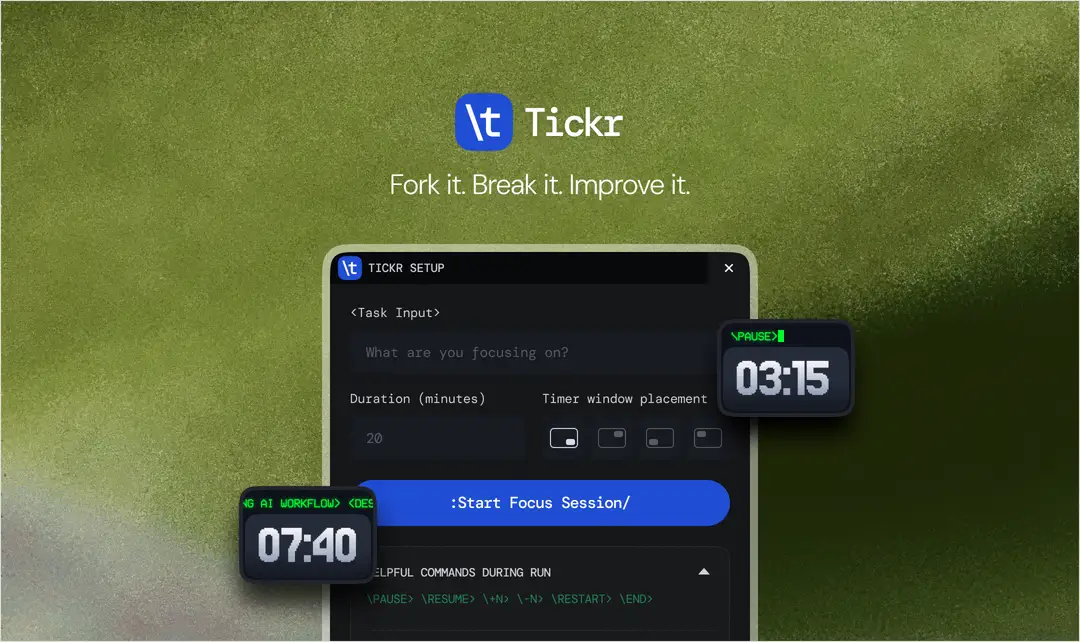
A tiny always-on-top timer that sits in the corner of your screen. I designed it and wrote it with Claude, in Tauri and vanilla JavaScript, and shipped installers for macOS and Windows.
I kept missing timers because they lived in a tab I had stopped looking at. So the whole premise is that the timer never hides.
Why you type at it
Every timer I have used is buttons. Buttons need chrome, chrome needs space, and space is the one thing an always-on-top window cannot spend. A window big enough for a control panel is a window you end up closing.
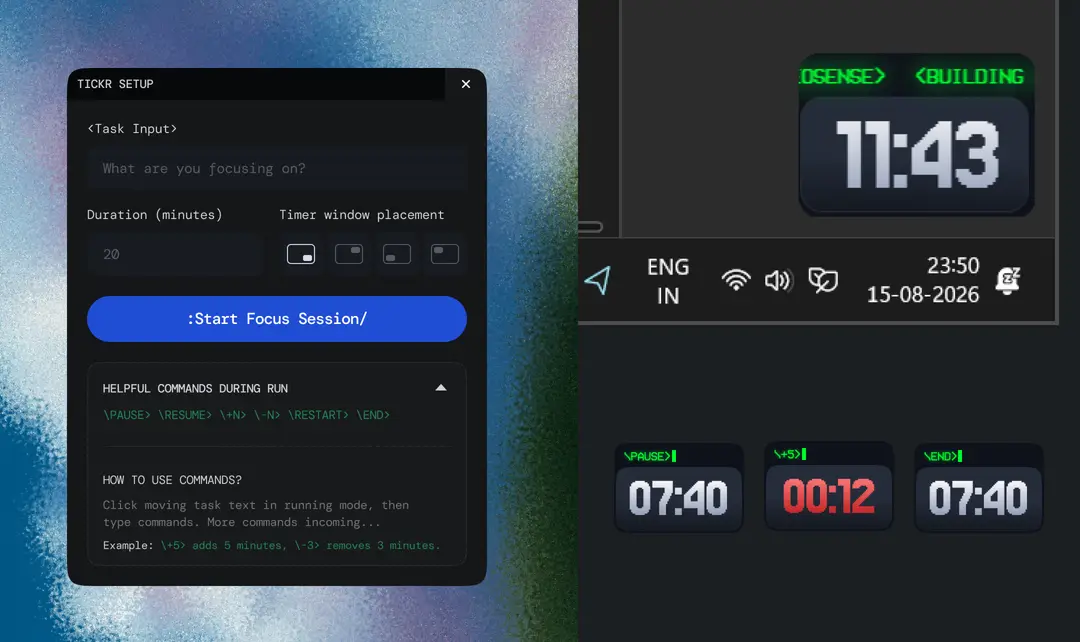
So there are no controls. You click the scrolling task text and type a command. One input replaces the whole panel, and the window stays small enough to forget about while still being visible.
The syntax is deliberately strange. A backslash to open, an angle bracket to close, which makes it obvious you are issuing a command rather than editing your task name. It also makes the thing feel like equipment rather than an app, which is the register I wanted.
The command set
\PAUSE>\RESUME>\HALF>\RUSH>\BREAK 5>\BACK>\+10>\-3>\RESET>\END>Rush exists because I kept wanting to skip the last stretch. It is honest about how timers actually get used.
On building it with Claude
I am not an engineer. I wrote this with Claude, which means I made every product and interface decision and had a lot of help turning them into working Rust and JavaScript.
What that changes for my day job is the handoff. Once you have argued with a real always-on-top window about focus behaviour and window chrome across two operating systems, you stop drawing states that only make sense in a Figma frame. It has made me a cheaper designer to work with.